
HOW TO RUN THE CONFIG REPORT IN POWER BI
In Power BI go to the DCP Config report
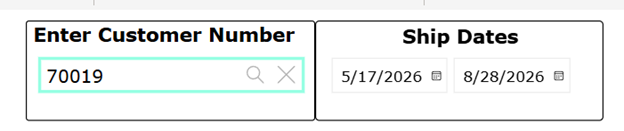
Put in your Date Rage (never the exact ship date)-Customer Account Number- Enter
This is what your report will look like:
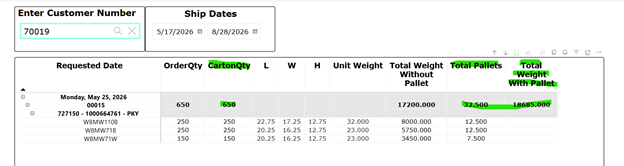
It shows info for each line item on your order.
When asking for a quote you’ll need to supply the order#, total number of cartons, total number of pallets and total weight with pallets (FYI each pallet weighs 45lbs).
NOTE: There is a two hour delay between entering the order in M3 and when it will show up in Power BI.
HINT: When entering the date range use several days before the actual ship date and several days after. Keep expanding the “after” date until your order shows. The system is weird and fickle.