
This is not a Gigi account)
| Account Information | ||
| Golden Opportunity | Account ID: 70721 | |
| Sales Person | Brent Duke | |
| Sales Rep | Ron Sobol | |
| Carrier | Logistics | |
| Ship Via | Logistics | |
| Delivery Terms | PPD | |
| Warehouse | 1st choice (Preferred) : HNJ 2Nd choice: PKY | |
| Pricing | Amanda confirmed it is a closeout account so process at the PO price | |
| Stop Code | Place Order in Stop Code 7 until Ron confirms approval to release to warehouse for shipping | |
| Stop Code | Once we receive approval from Ron to release to warehouse Update Order to : No Stop Code (Blank) | |
| M3 Post Text Notes | Please include on the M3 order any special instructions indicated on ticket/PO | Example: |
| Canned Response | Definition |
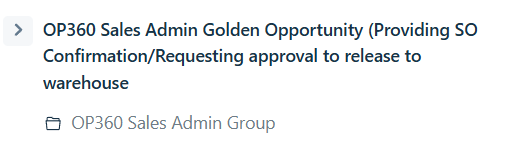
| OP360 Sales Admin Golden Opportunity (Providing SO Confirmation/Requesting approval to release to warehouse | Requesting Approval from Ron Sobol to release order to warehouse |
| OP360 Sales Admin Golden Opportunity - Approved/Release order to warehouse for shipping | Received Approval from Ron Sobel to release to warehouse for shipping |
Step 1:
-View all ticket details and including details on the PO
Step 2:
-Check available inventory in M3
-Note: If PO consists of 2 or more SKU's and all inventory is not all available in 1 warehouse (HNJ/PKY) warehouse , order can ship from both warehouses.
Step 3-A: If Order is shipping from HNJ warehouse
-Process order in OIS300
-Ship Date : Select the Next Business Day Date
- Order line/lines: Select the Next Business Day Date
-Panel K (Expected Ship Date ) : Select 7 Day future Date
-Attach a copy of the SO , copy of the PO, and ticket conversation to the M3 order
Step 4: Respond to ticket providing the Sales Order confirmation
-Utilize canned response: OP360 Sales Admin Golden Opportunity (Providing SO Confirmation/Requesting approval to release to warehouse
Tag Ticket: WOTP
Reason: Incomplete Order
Once Ron responds
-If Approved to release to warehouse
Step 5:
-Update order to :No Stop Code (Blank)
- Attached Updated conversation to M3 Order
Step 6:
- Send an email to HNJ Michael McLaughlin and Maycol Rodas & CC Lisa Long & Amanda McDowell
-Advised: Name of account , Order number
- Advise the special post text notes for shipping purposes.
Step 7:
- Respond advising we have released order to warehouse for shipping
-Utilize canned response : OP360 Sales Admin Golden Opportunity - Approved/Release order to warehouse for shipping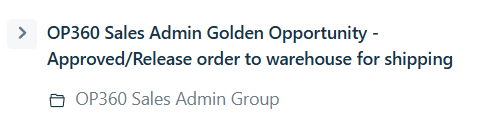
Step 3-B: If Order is shipping from PKY warehouse
-Process order in OIS300
-Ship Date : Select the Next Business Day Date
- Order line/lines: Select the Next Business Day Date
-Panel K (Expected Ship Date ) : Select 7 Day future Date
-Attach a copy of the SO , copy of the PO, and ticket conversation to the M3 order
Step 4: Respond to ticket providing the Sales Order confirmation
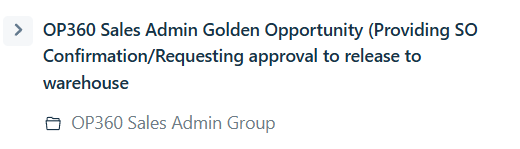
-Utilize canned response: OP360 Sales Admin Golden Opportunity (Providing SO Confirmation/Requesting approval to release to warehouse
Tag Ticket: WOTP
Reason: Incomplete Order
Once Ron responds
-If Approved to release to warehouse
Step 5:
-Update order to :No Stop Code (Blank)
- Attached Updated conversation to M3 Order
Step 6:
- Send an email to PKY Matt Hepp , Leslie Smith, Angelo D'Agostino HNJ Michael McLaughlin and Maycol Rodas & CC Lisa Long & Amanda McDowell
-Advised: Name of account , Order number
- Advise the special post text notes for shipping purposes.