
New Launch as of today 3/10/2026
Orders not shipping by end of month.
-Order date line needs modified to the beginning of the next month
-If multiple order lines you will need to modify each order line as shown below.
How to change the order line
Step 1: Go to OIS300
Search and Highlight order

Step 2: Right Side Tool Bar
-Click Order Lines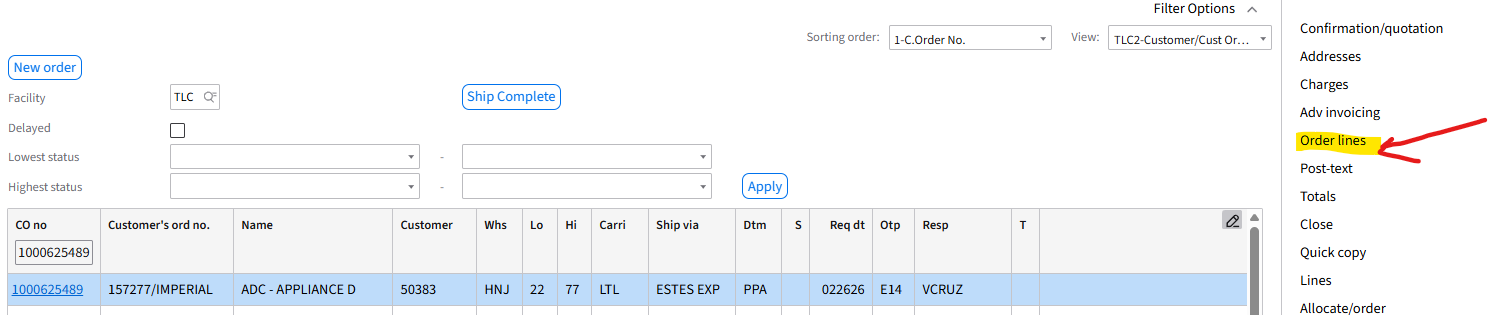
Step 3: Right Click on highlighted line
- Select Change
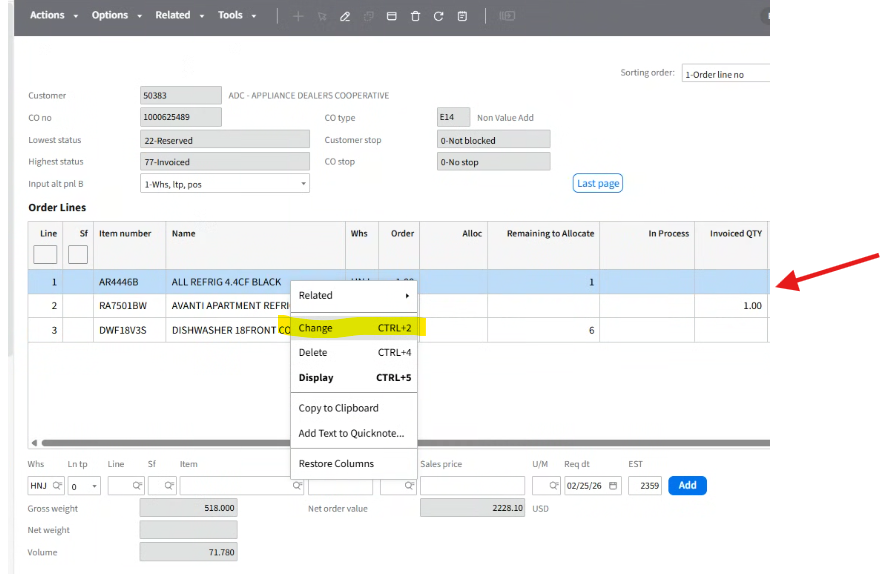
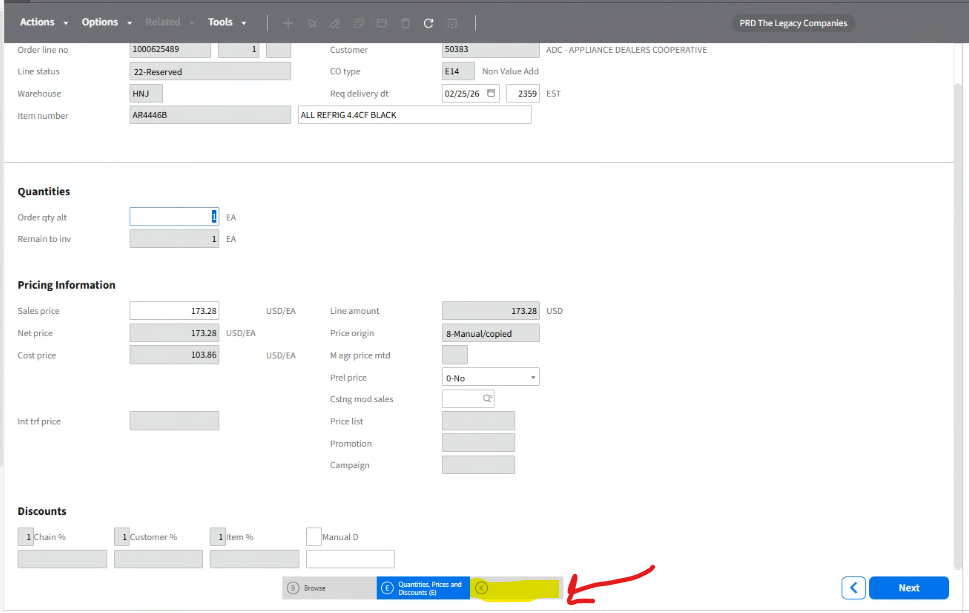
Step 4: Screen Populates
-Click Panel K
Step 5: Pop-Up Box Populates
-Click OK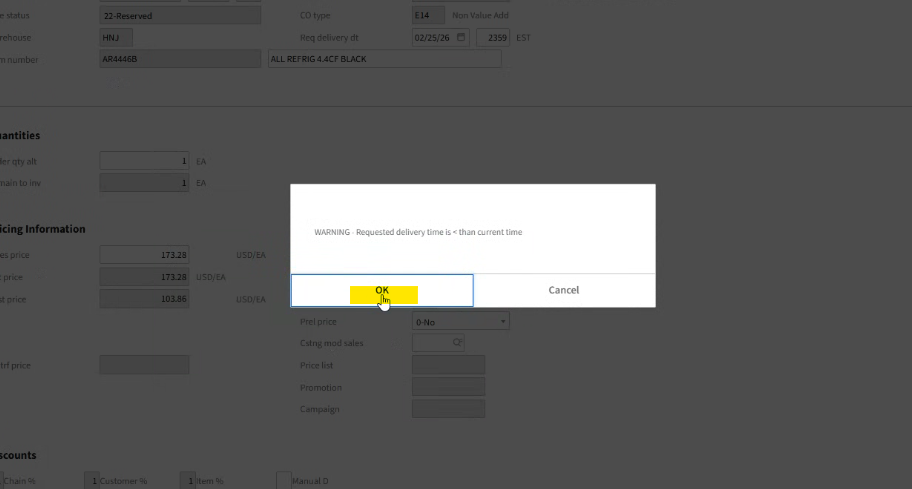
Step 6: Panel K screen Populates
-At the Exp Ship Date
-Click the Calendar Icon
-Change to the beginning of the next month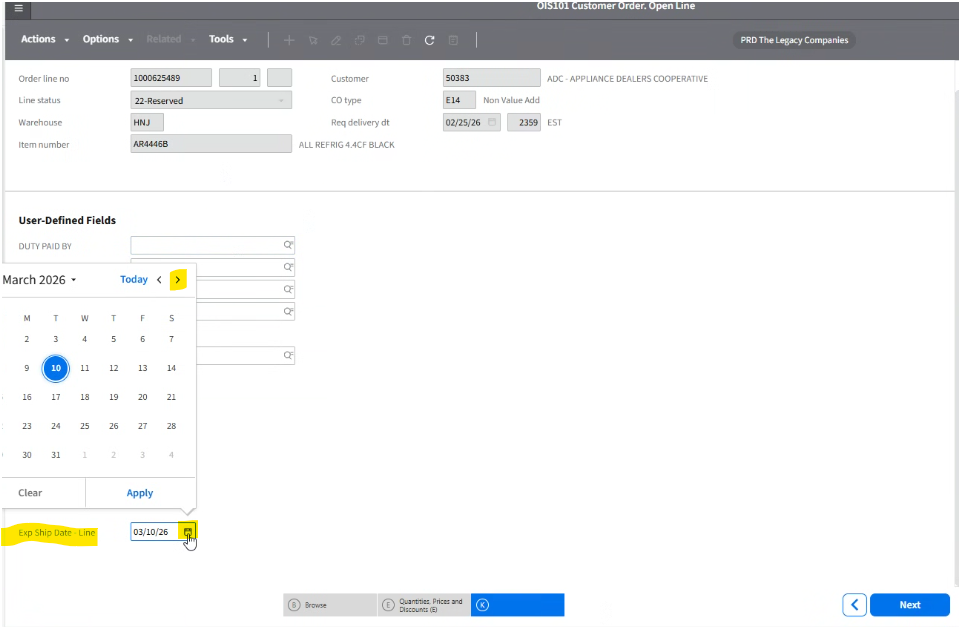
Step 8: Your chosen date reflects
-Click Next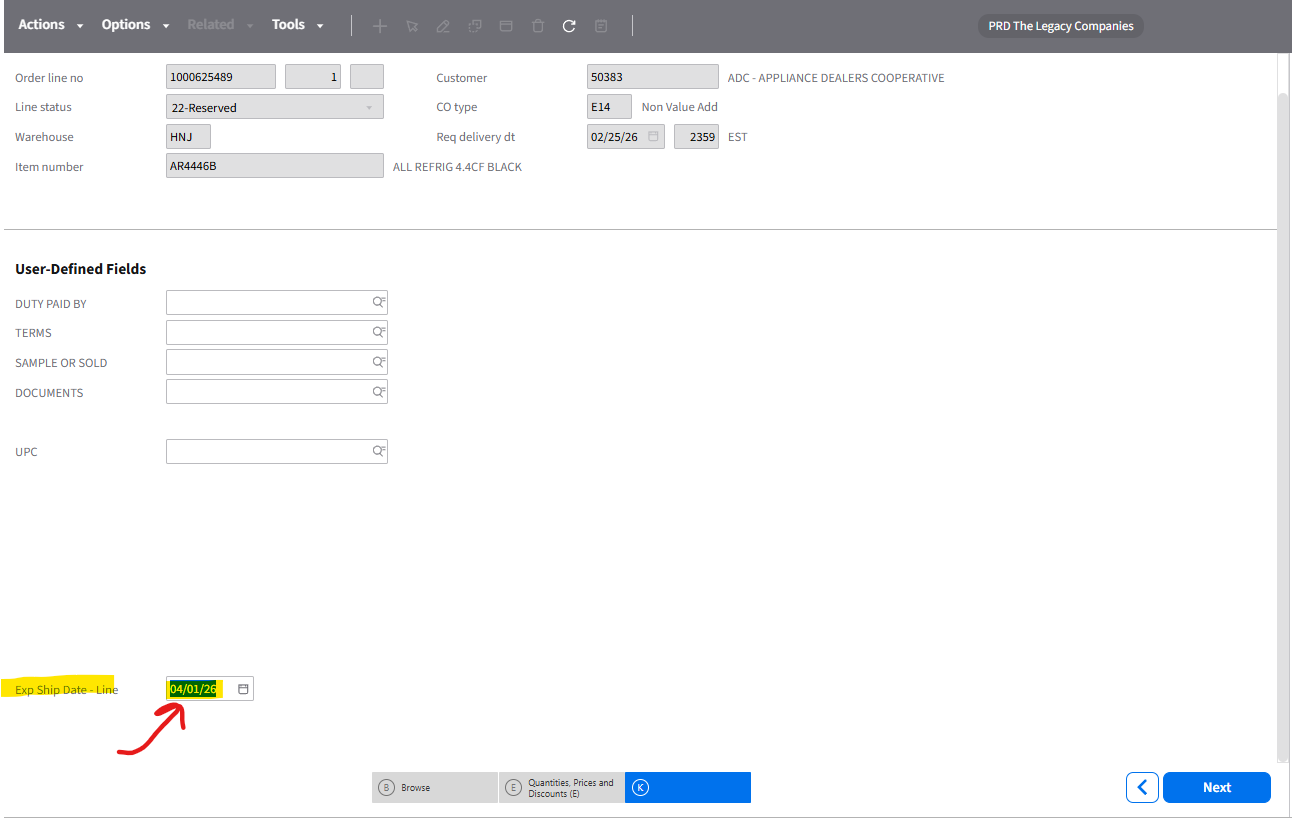
-If you have more order lines to update (See below) - Repeat the process
-Once order lines/lines are complete -> Click Action Close
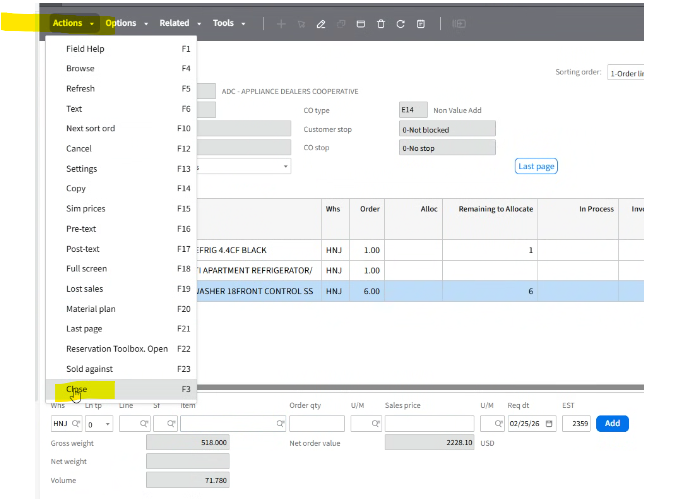
You are now back to Main screen