| Account Information / Questions | Answers | Additional Comments |
| OP360 SA handling the inbound requests | Vince | Update 3/16: Dale will assist with ticket/order handling in the event:
|
| Update: 3/17 I have created Ring Central Chat: OP360 SA Restaurant Depot Chat (Jetro)  | The reason for New Ring chat is to ensure all involved to be looped in with the following:
|
|
| Update: 3/16: I have spoke with Amanda asking if we need to respond to the ticket updating the customer . (This was not discussed in the training) | Amanda confirmed yes: Please respond updating customer. I have created Canned Response: -OP360 SA Restaurant Depot Order confirmation  | Once all orders have been updated in M3
 |
Overview SOP
| Account Information | |
| Restaurant Depot Customer ID (Number) | 70064 |
| Warehouse | PKY (ONLY) |
| Late Every Friday : Email is submitted with the list of orders | |
Update: 3/16: If Amanda submits the ticket early enough on Friday :
If Amanda submits ticket request after hours :
| If PO does not reflect in OIS300 Friday/Monday
|
| If product line is 22 (Back Order) | Delete/cancel the line (status 99) Reason code : Out of stock Product |
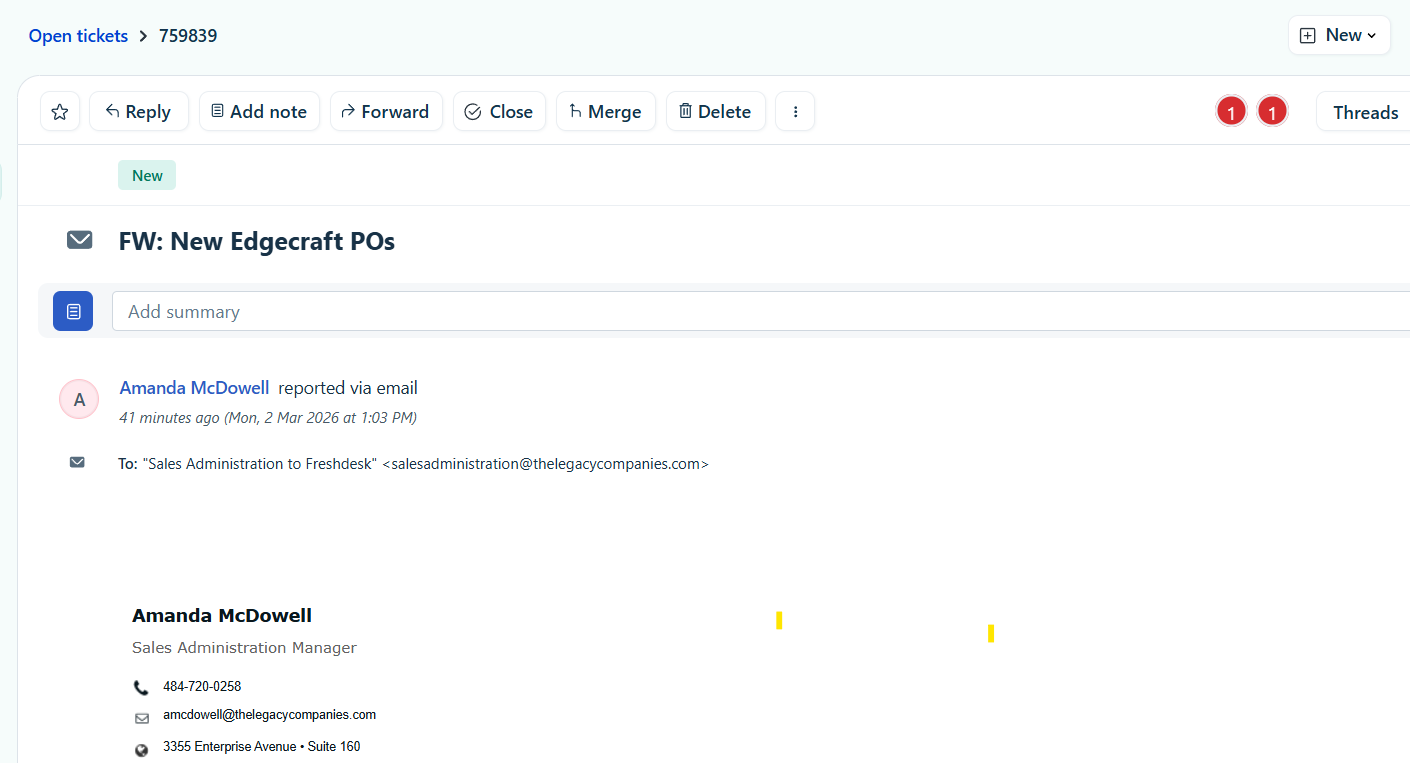
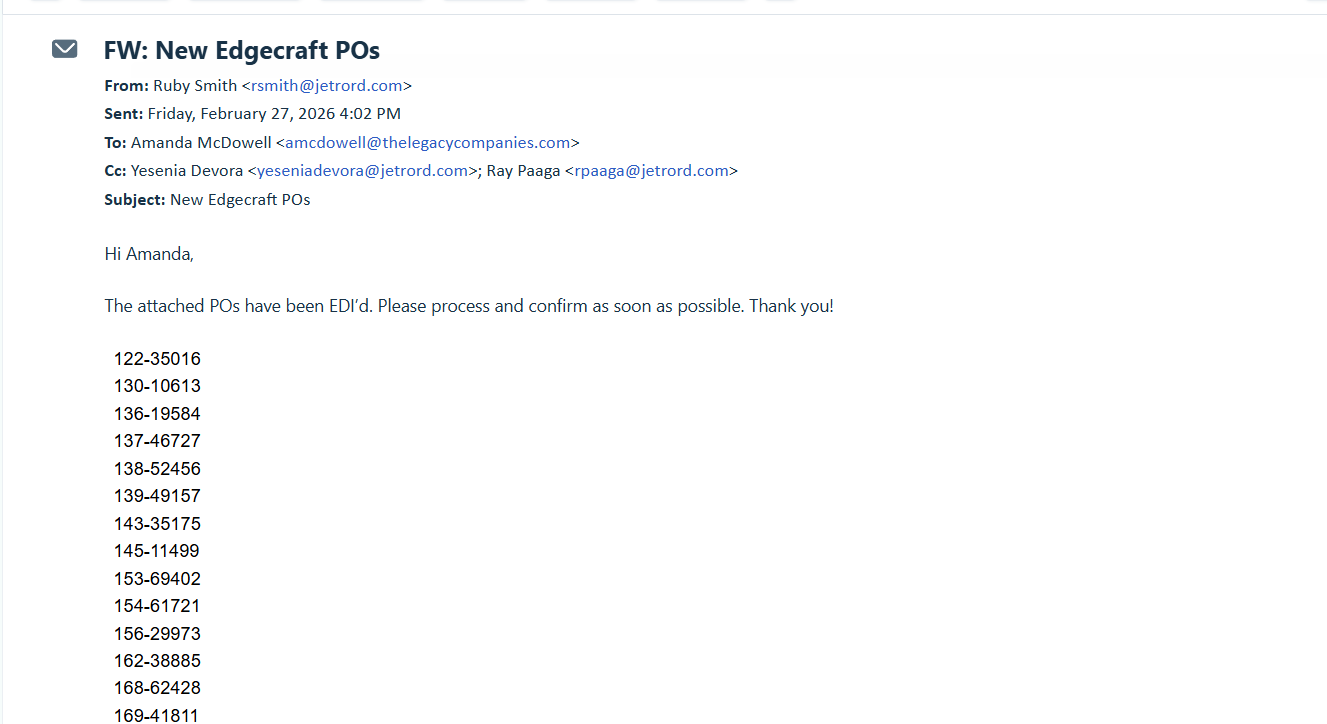
Amanda will submit a ticket to Fresh Desk late in the day Fridays providing the list of orders
- The ticket will also include the customers email address
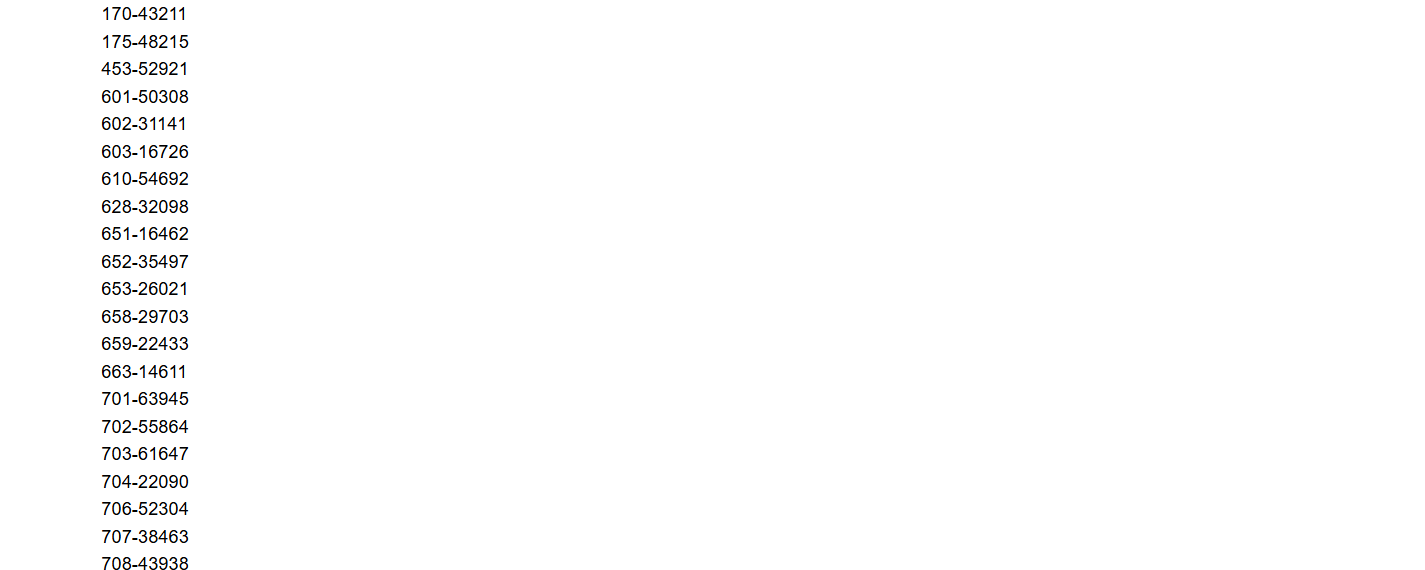
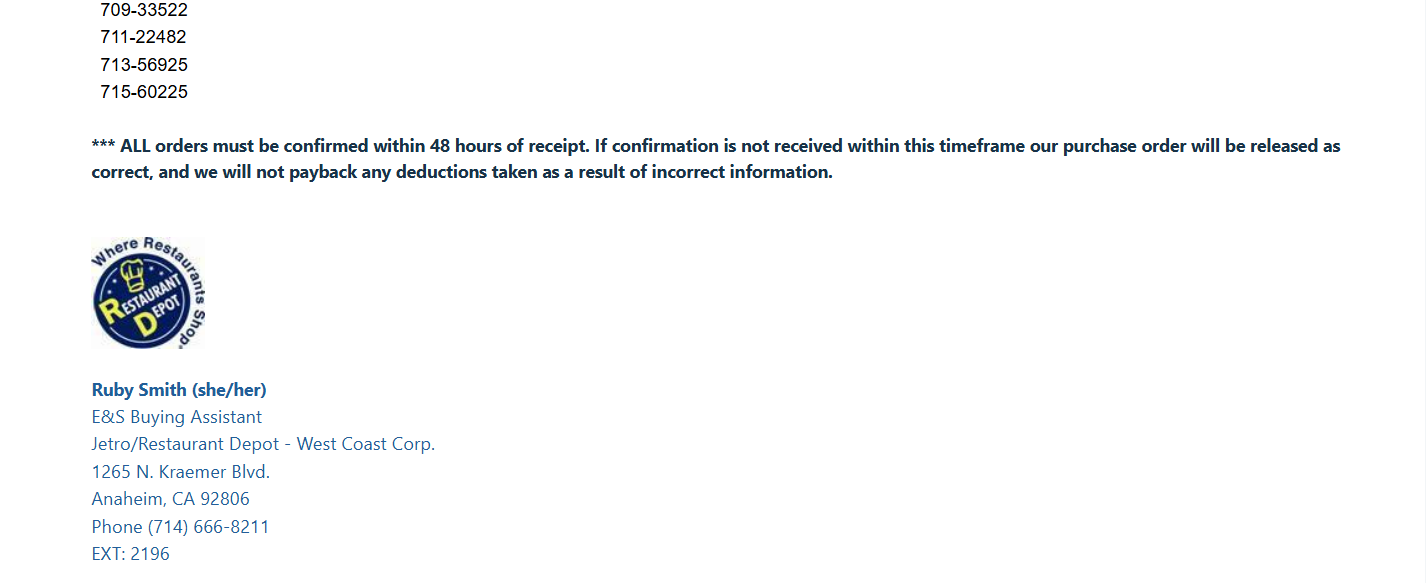
- The ticket request will indicated the PO Numbers to search orders in M3
Friday Afternoon / First thing Monday morning check - Check for ticket in queue
Step 1: Go to OIS300
-Check to be sure PO reflects
Step 2: Check order lines :
A) If All order lines are in stock (status 33)
- Enter in the the internal notes & Add Snip It of Order Showing in OIS300/Stop Code 7
-Proceed to Step 3
B) If order line/line is OOS (Status 22) - Back ordered
- Enter in the internal notes : Add -A Snip It of the order showing order line/lines are status 22
-Cancel /delete the order line (status 99)
-Select reason : Product Out of Stock
-Enter your internal notes: Add a Snip It showing order line/lines are status 99
-check all remaining order lines
-Once complete : Proceed with Step 3
Step 3: Once order is good to go
- Update order stop code from "7" --> To "NO STOP" Code
Step 4: View the next PO in list and repeat.
Note: If PO does not reflect in OIS300 on Monday
- Note in the internal notes and recheck on Tuesday Morning
- If On Tuesday PO is not reflecting in OIS300: -> Send a message to Ring Chat (OP360 SA Restaurant Depot Chat (Jetro))
Note: If Product/Products are Out of stock
-Be sure to include good internal notes and snip it : Send a message to Ring Chat (OP360 SA Restaurant Depot Chat (Jetro)) so Amanda can update Restaurant Depot SPS Commerce Portal
Snip It of order in stop code 7
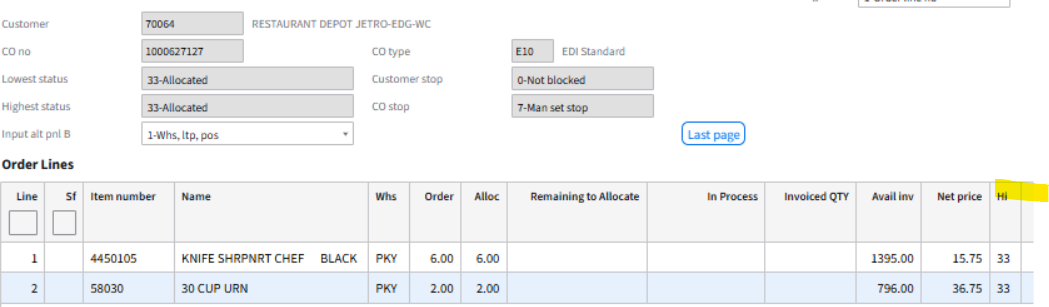
After checking all order lines --> is good to go -> Released to No Stop Code

Example of inbound email request