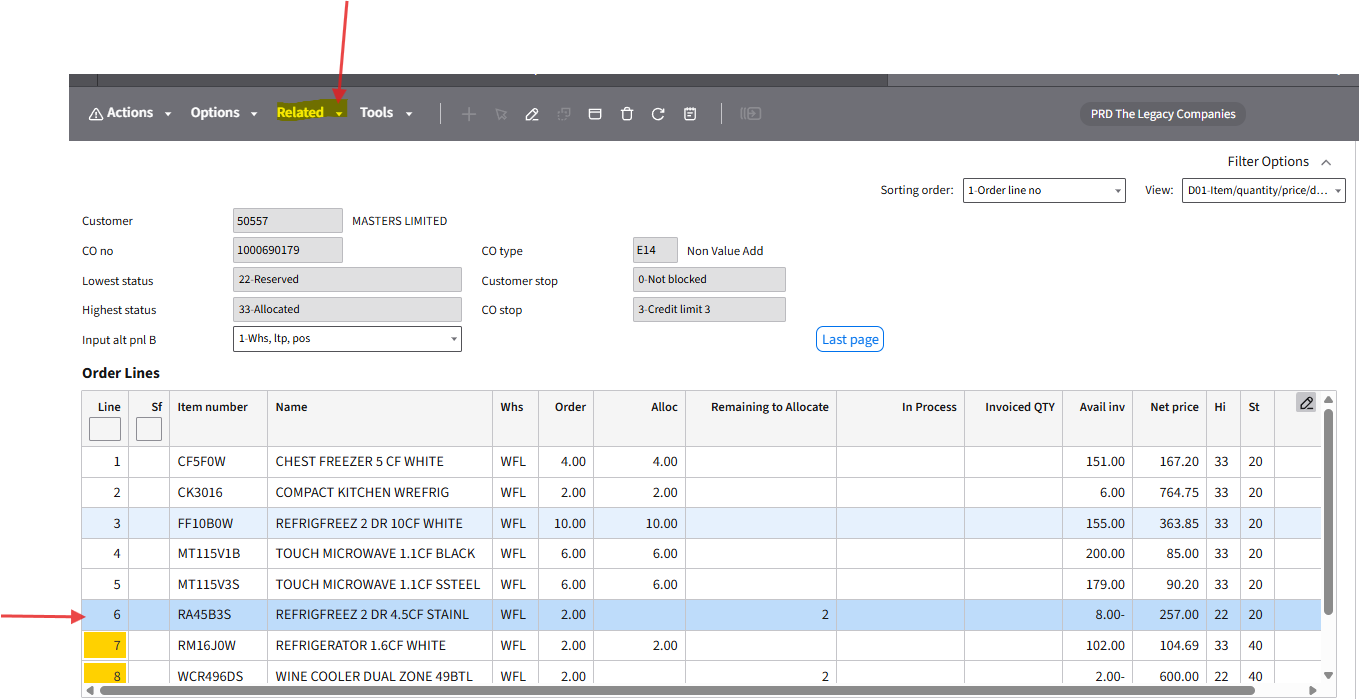
Retail Accounts requests for PO order/ product cancellation: Status Must Reflect status 99
1. Request to cancel full order -> Hi/Low will need to reflect 99
2. Request to cancel a Product Line --> The Product line you are cancelling must reflect status 99
How to Steps:
Request to cancel full order:
Step 1: Locate order in OIS300
-Highlight Order line
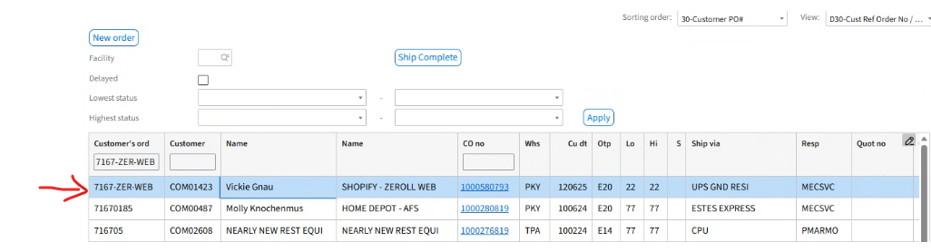
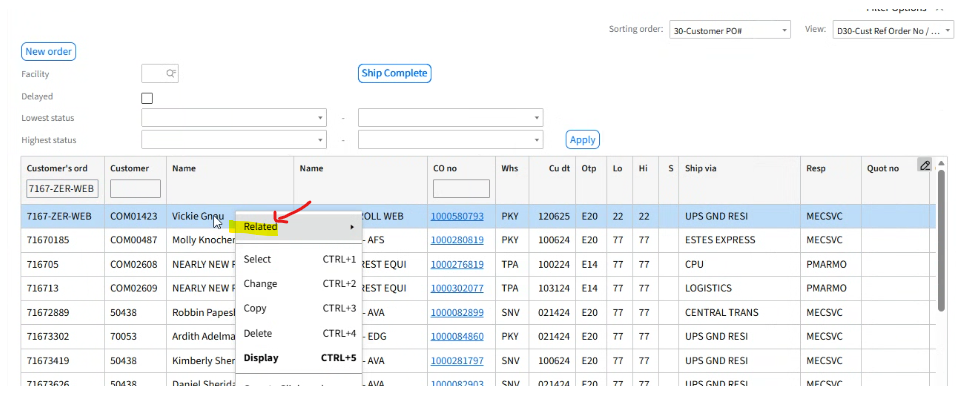
Step 2: Right Click on Order line
Pop- Up populates -> Hover over "Related"
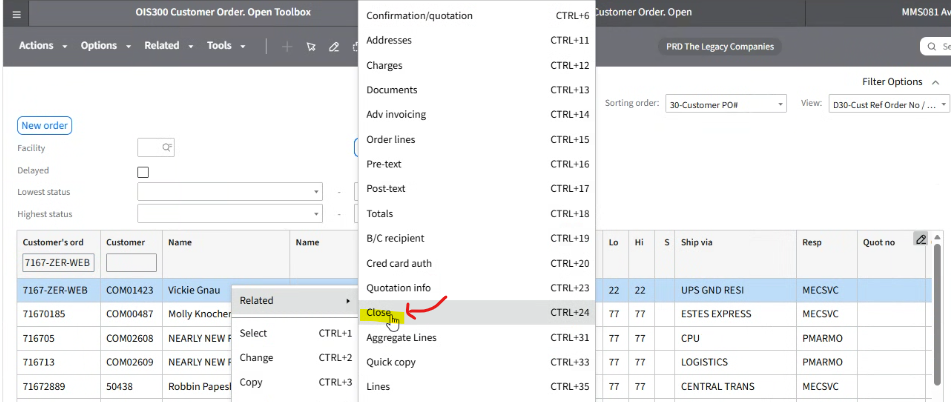
Drop Down Box Populates
-Click : "Close"
Pop -Up Box Populates
- Click "OK"
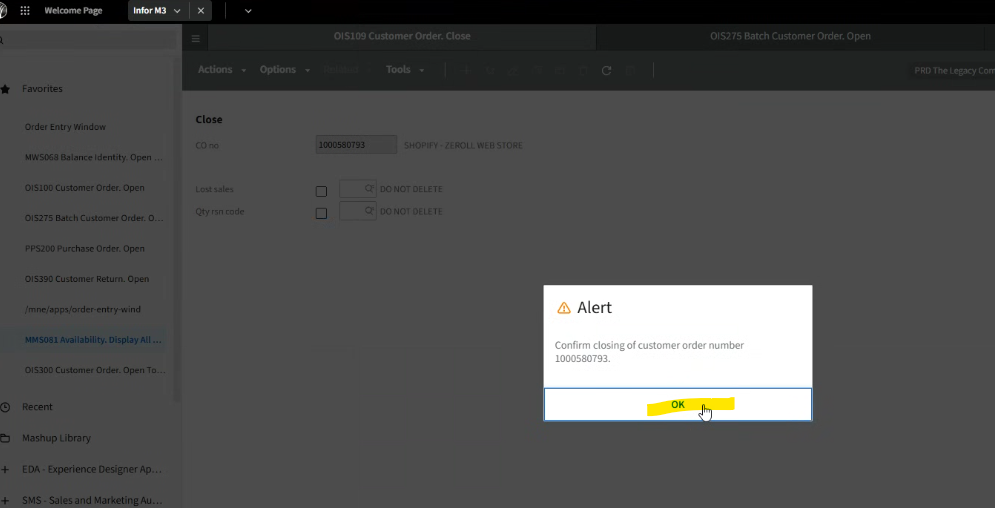
Step 3: Screen Populates:
Lost Sales Location
- Click (Check Mark) the Little Box (Box will highlight Blue)
-Click The Magnifying Glass
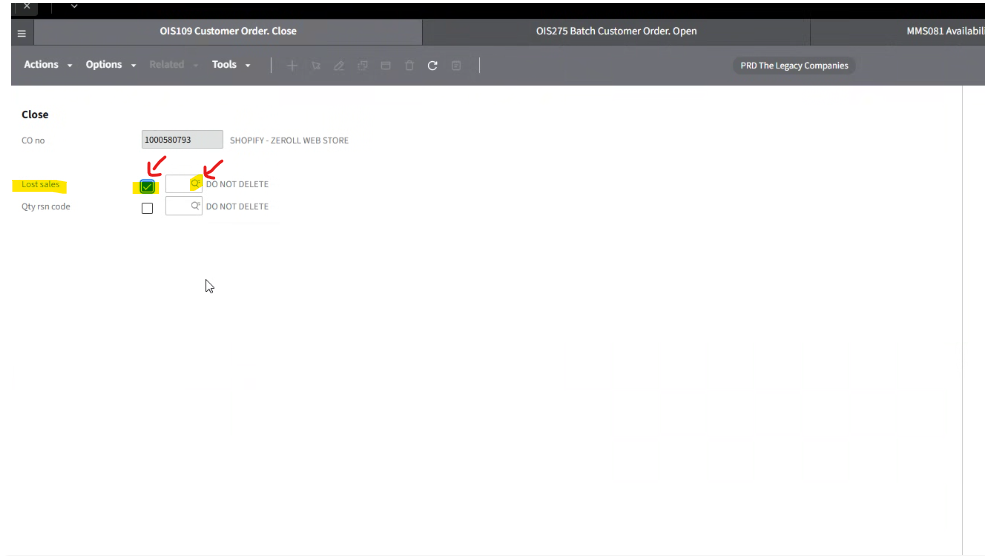
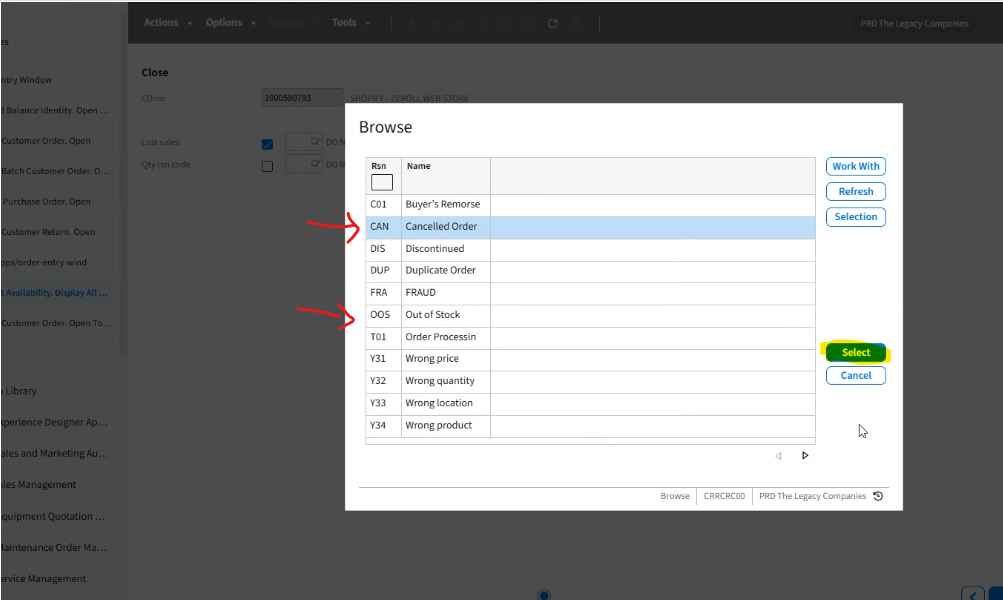
Step 4: Pop Up Drop Down Box will Populate
- Click the reason for cancelling order code
- Click : "Select"
Step 6: Screen Populates: You selection now reflects
- Click : Next
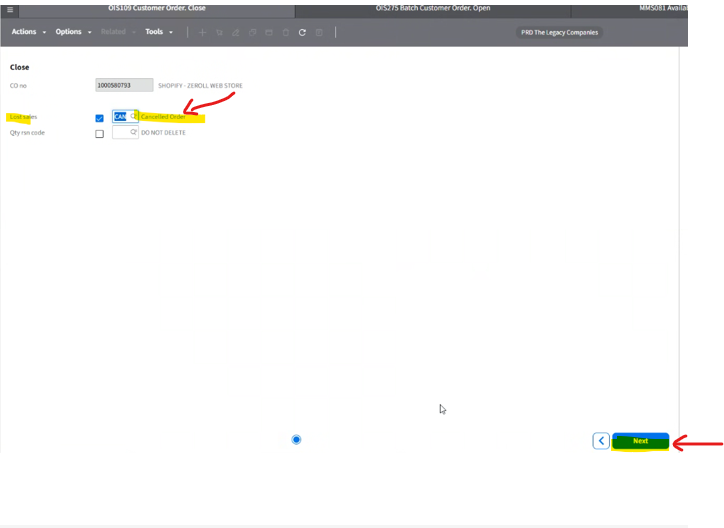
Pop - Up Box Populates
- Click: OK
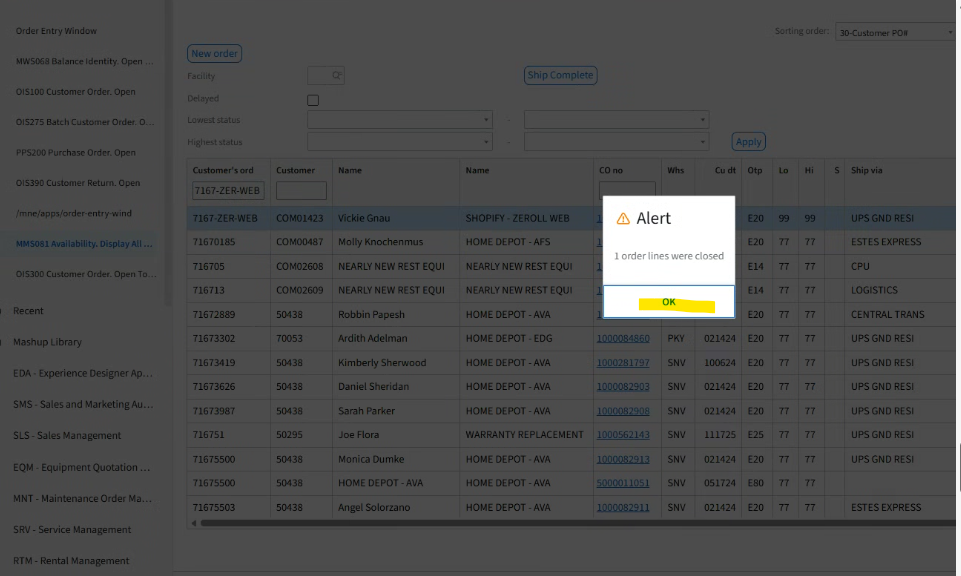
You are now routed back to OIS300
- The Order Status will reflect (LO & HI) -> status 99 (Your Order is now cancelled)
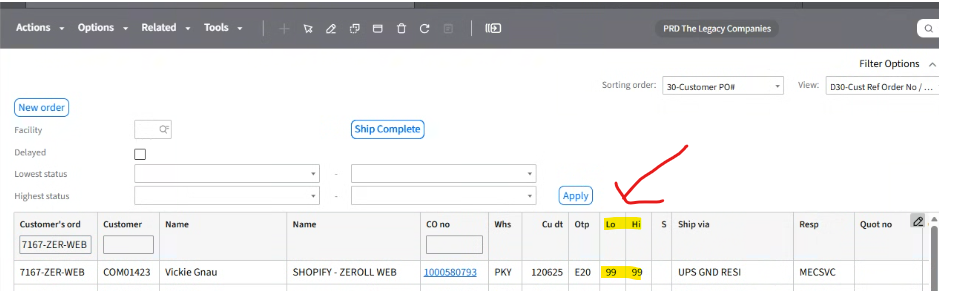
How to cancel an order line/lines
Step 1 : Log into OIS300
-Enter Order Number
-Hit Enter
Highlight Order
Right side tool bar: Select "Order Lines"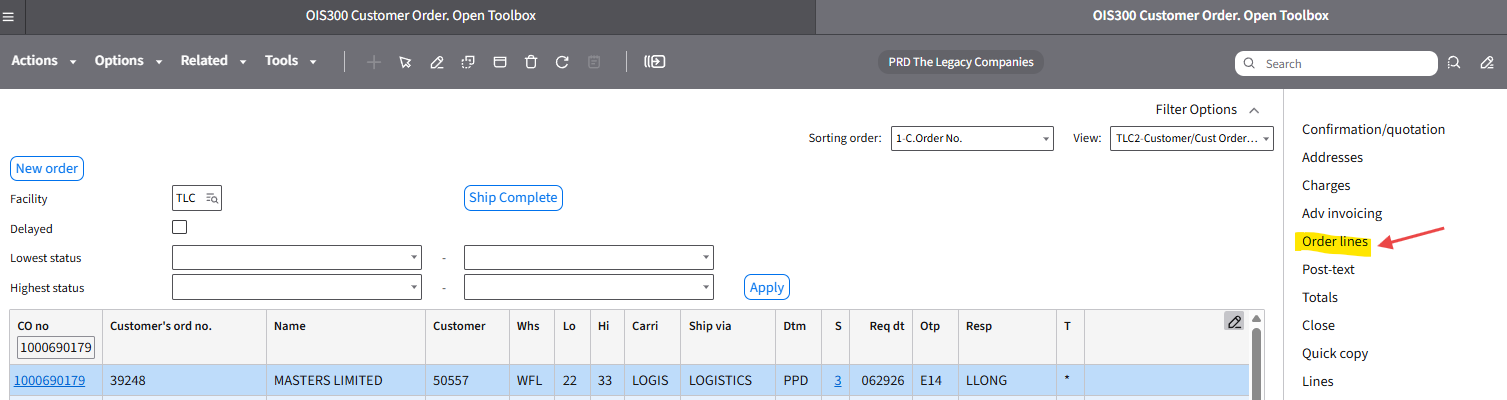
Highlight order line you are cancelling
Top Tool Bar : Related -> Click the drop down