
2/12/2025: The date OP360 received our first PO to process.
-Spoke with Mario on 2/12/2026 and he said he had reached out to Carla and he advised for Carla and I to have a meeting the next business day - 2/13/2026 to go over the order processing procedure
-This account needs to be processed in a very specific way
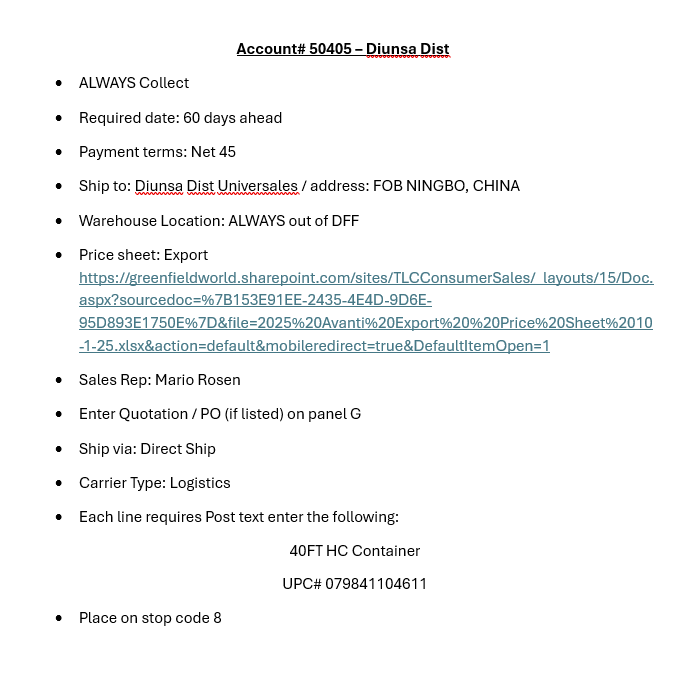
Price Sheet Below:
| DIUNSA | Customer ID: 50405 | |
| Warehouse | DFF | |
| Payment Terms | Net 45 | |
| Delivery Terms | Collect | |
| Ship Via | Select Direct Ship | |
| Carrier Type | Select Logistics | |
| Ship Date | waiting on Mario's confirmation | |
| PO Field | Enter PO Number | If PO includes a Quotation Enter in the PO field
|
| Ship To Address Field | ||
| Country | Select CN (China) | |
| Place | Select CN (China) | |
| Discount Screen -Charge Field 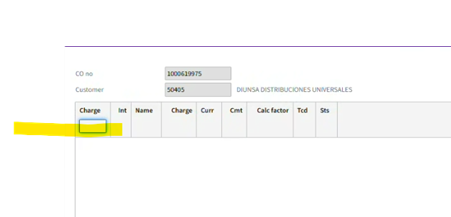 | If Mario has not indicated a discount percentage on PO Leave Blank | If Mario indicates a discount percentage on PO We need to select the percentage indicated on the PO |
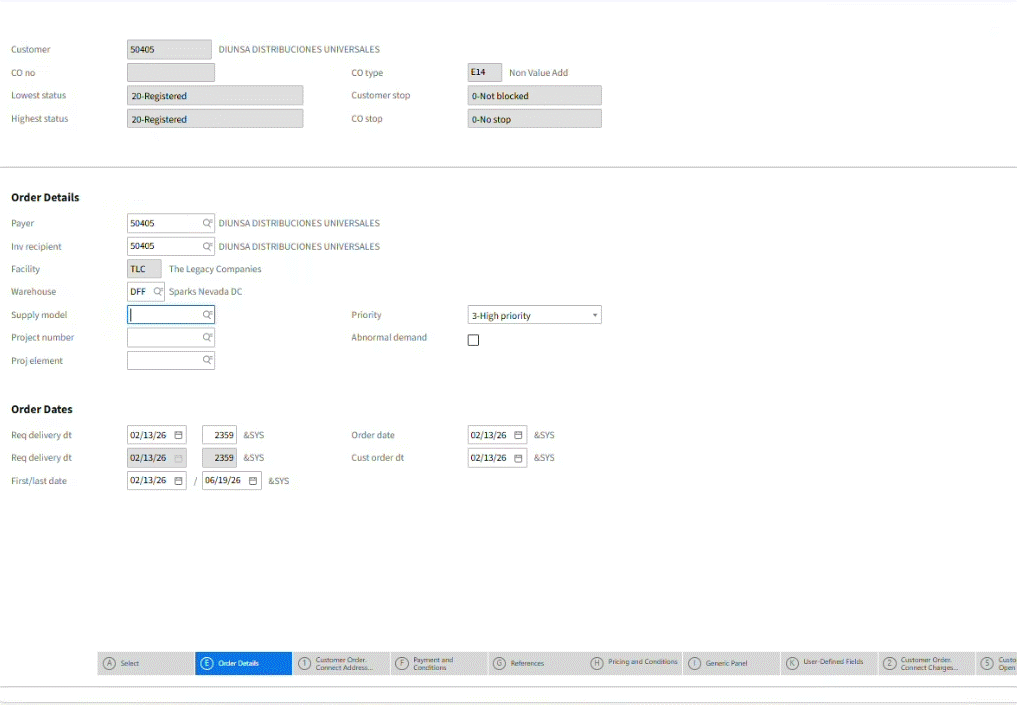
PROCESS PO in OIS300
-Customer ID: 50405
Order Type: E14
Selected ship date for this PO: 4/17/2026
Ship To Address
-Enter what is shown on PO
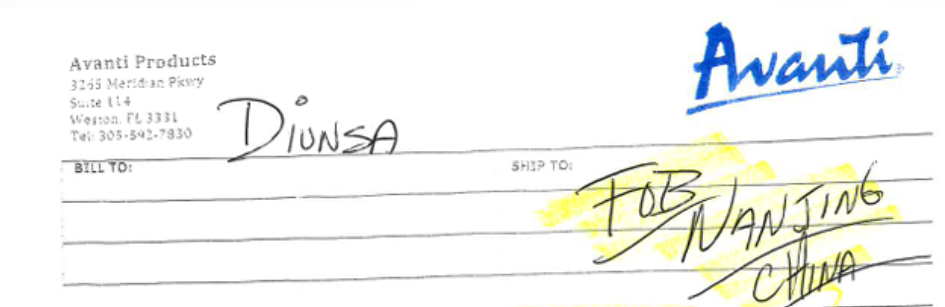
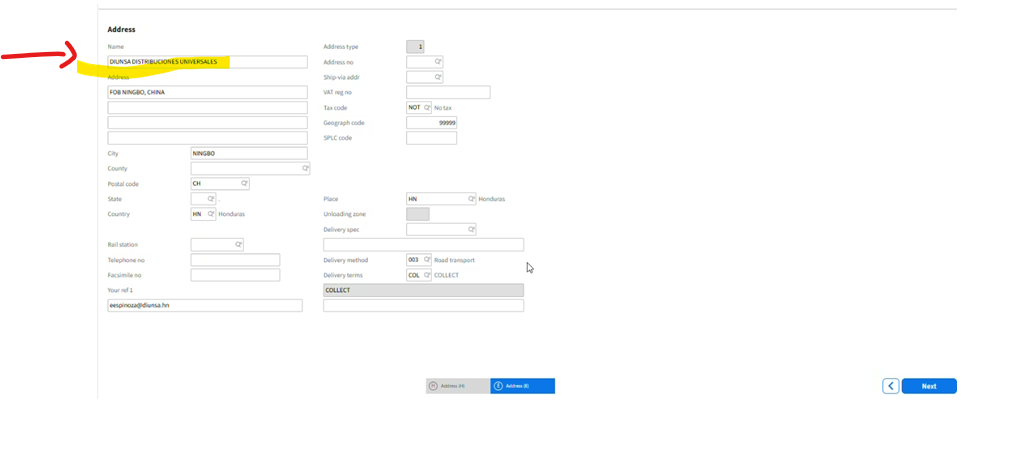
The Country and Place both need to reflect (CN) China
-Next
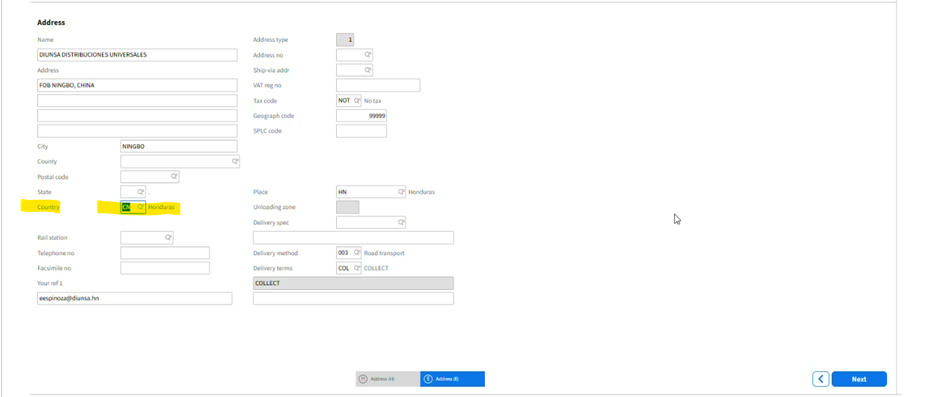
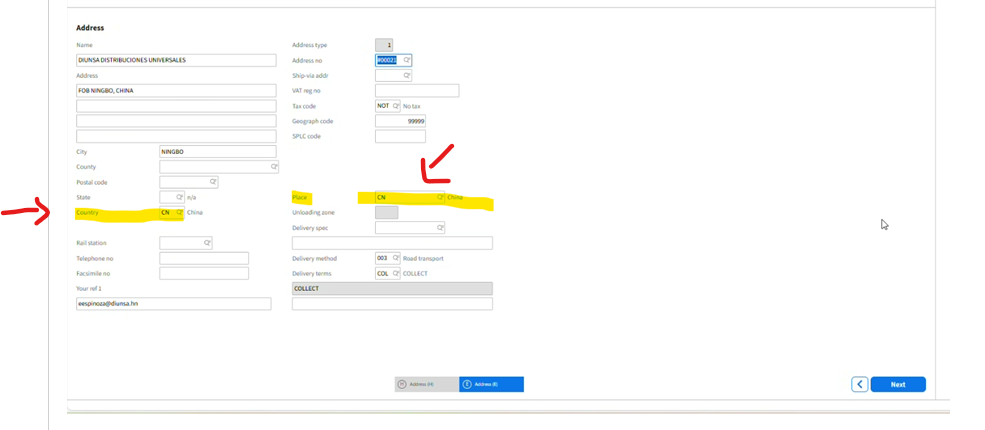
Screen Populates:
-Double check the Ship To Address Name
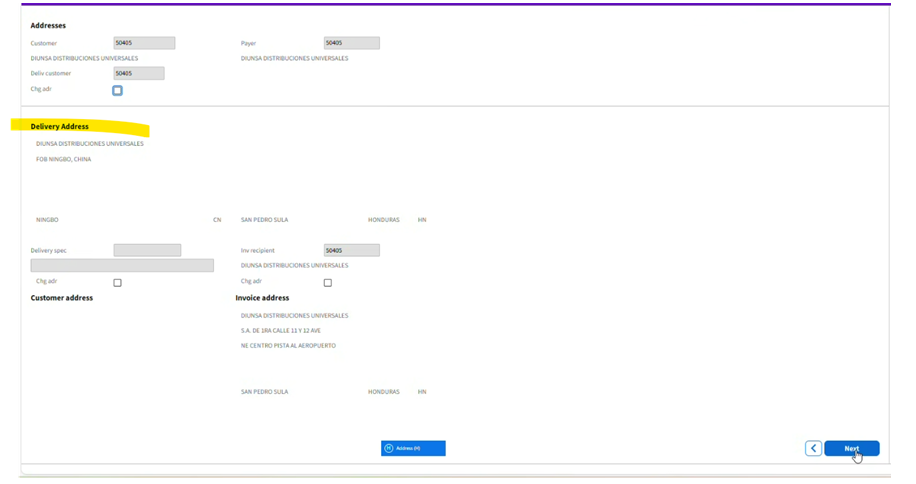
Payment terms: 45 net
Delivery terms : collect
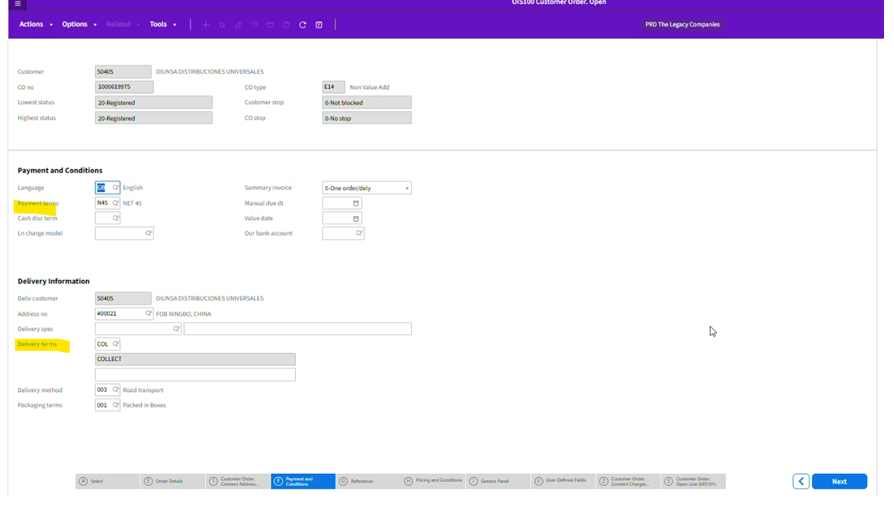
Enter the PO number
-If a quotation also and in po field 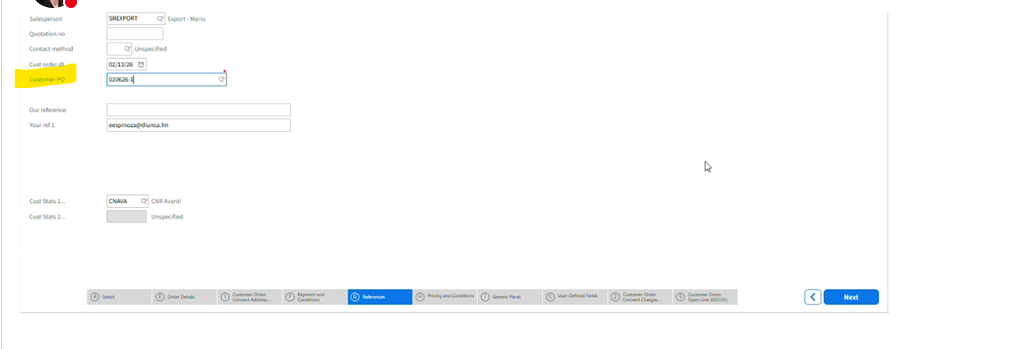
Next for next 2 screens click next
Screen Populates
Ship Via: Seelct Direct Ship
Carrier: Logistics
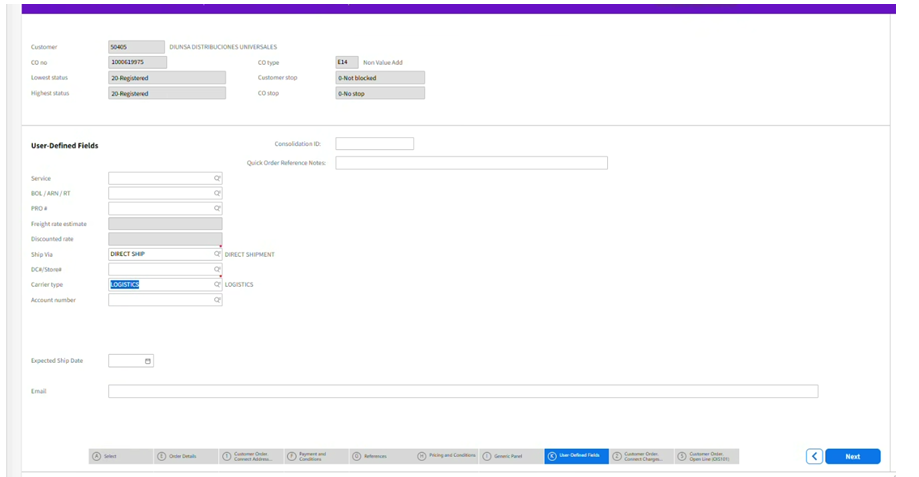
Screen populates
Charge Field: If Mario has not indicated a charge -> Leave Blank
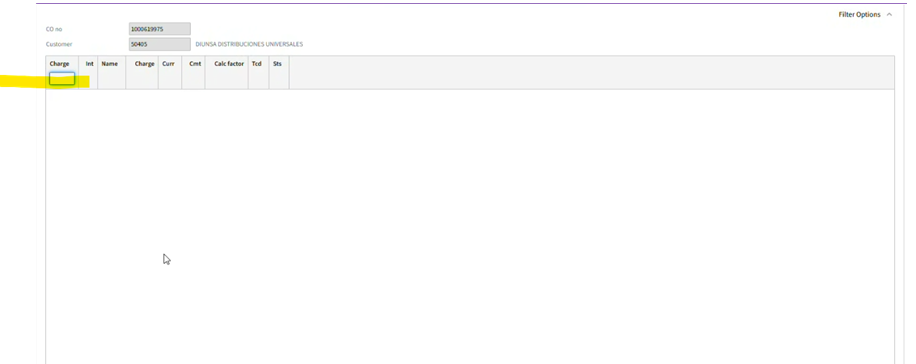
Start to enter your order line
Once entered -> Click left tool bar option: Post Text NOtes
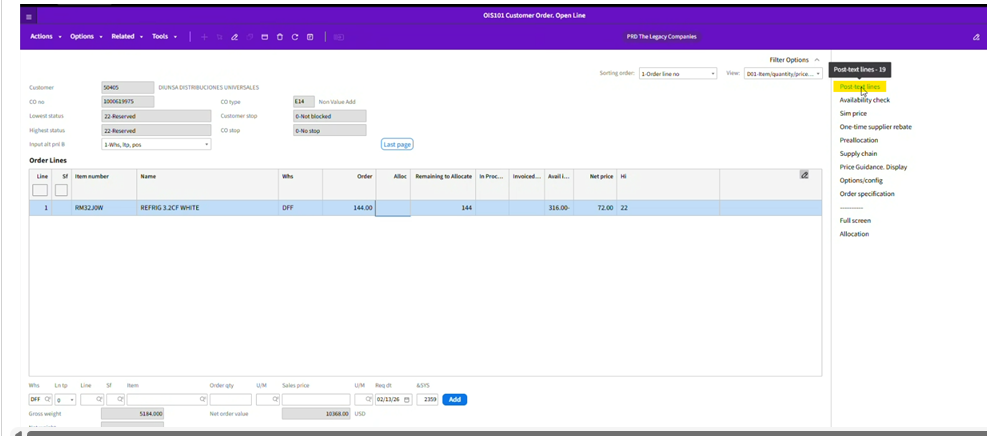
Pop Up BOIx populates
Select: OnAl Documents
-Click OK
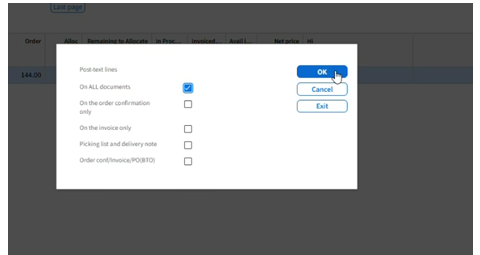
Pop Up Boix Populates
Enter 40 FT Conatiner
UPC XYZ
Click Next
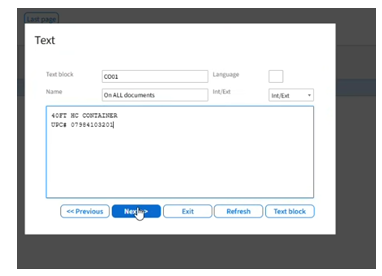
Once you have completed the order lines and Post text note
Refresh your screen
Make sure warehouse reflects DFF
Allocated will always reflect a negative amount 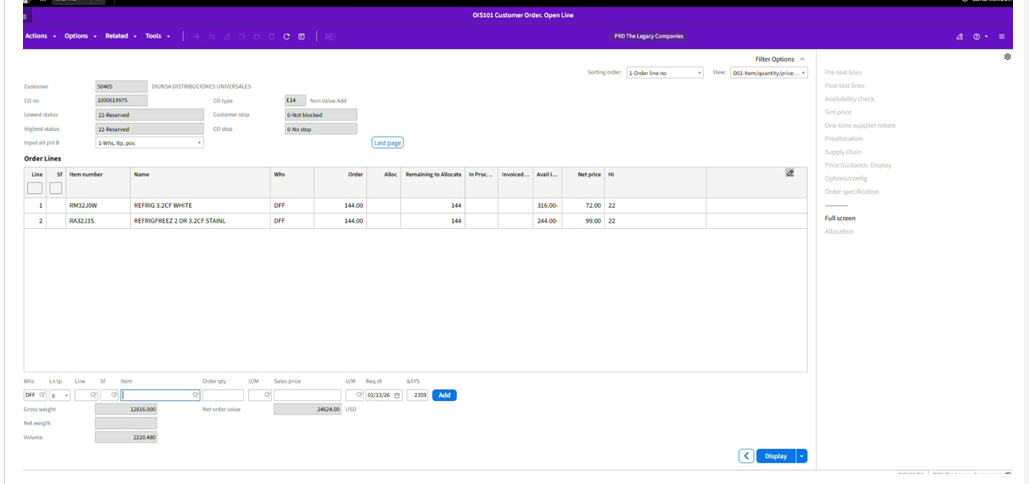
Save to a PDF