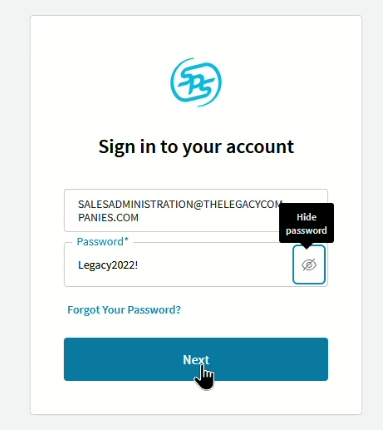
Log into SYS Commerce
Email Address: ADMINISTRATION@THELEGACYCOMPANIES.COM
Password: Legacy2022!
-Click : Next
Step 2:
Screen Populates
-Click (Select) : Fulfillment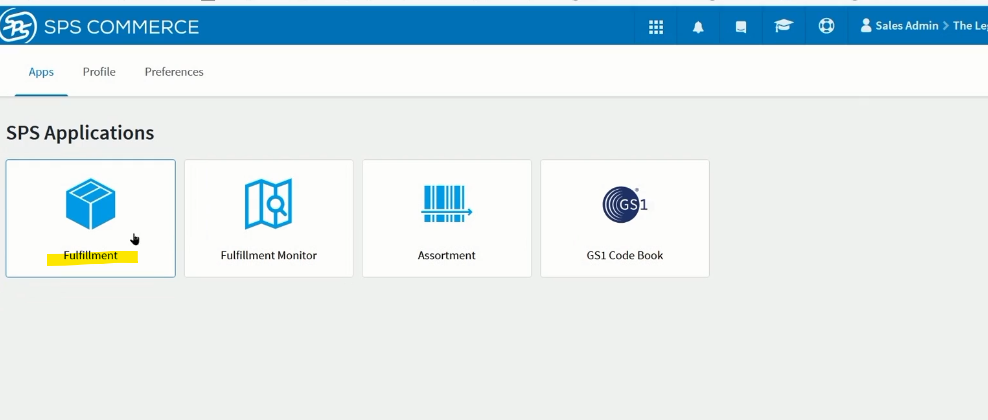
Step 3:
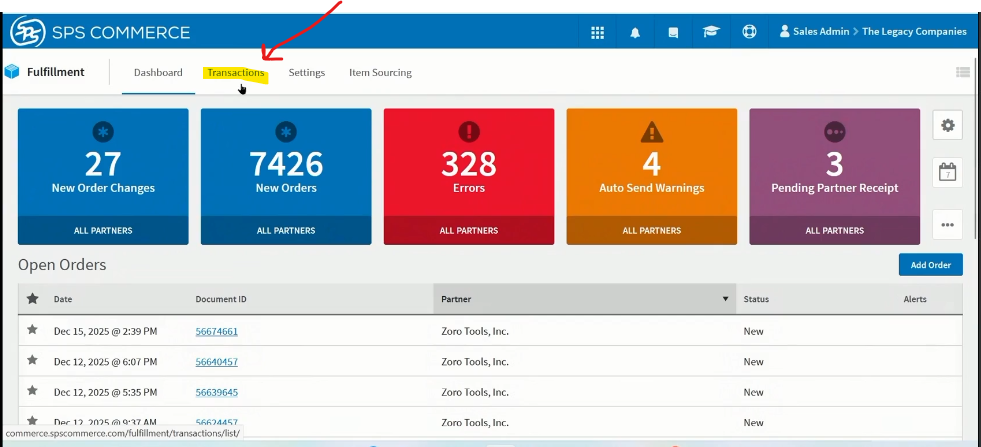
Screen Populates
-In Tool Bar : Click (Select) -> Transactions
Step 4:
Screen Populates
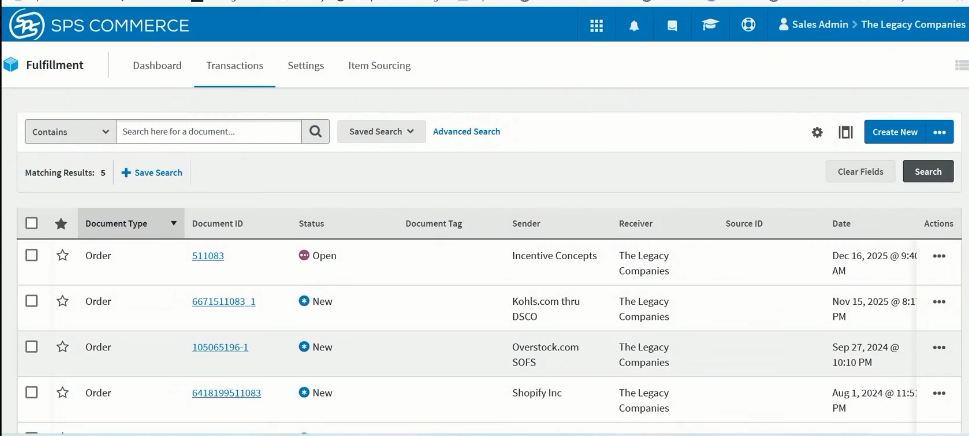
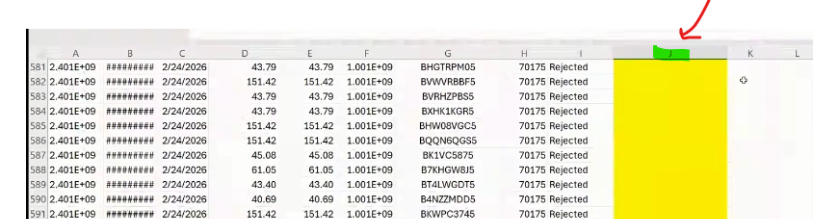
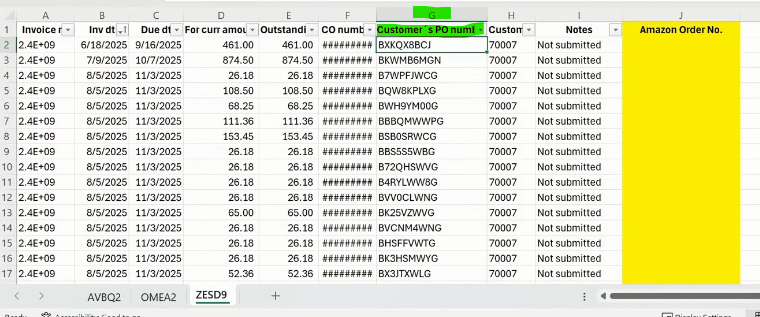
Step 5: Go to your Excel (Google Sheet)
-Column "G" is the PO Number
-Copy the PO Number
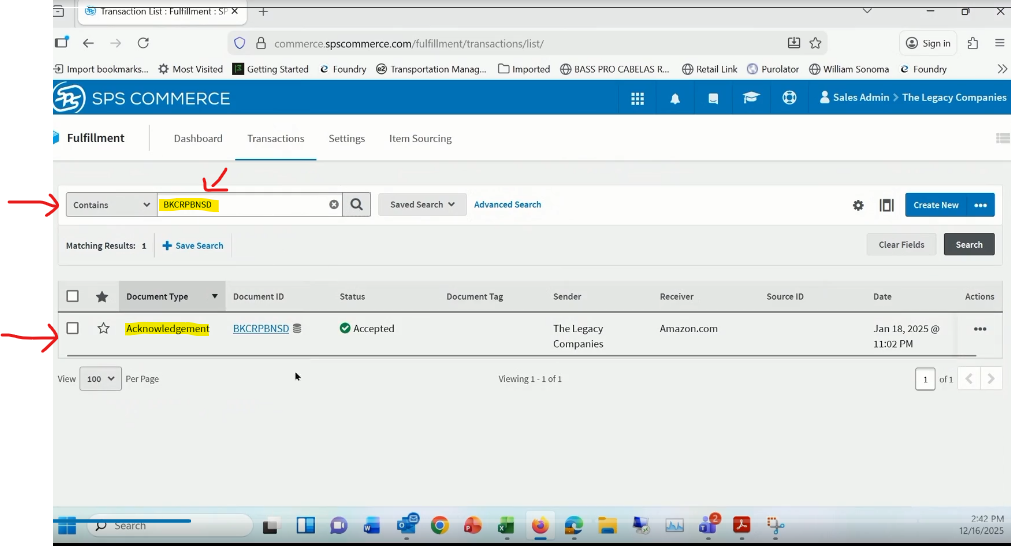
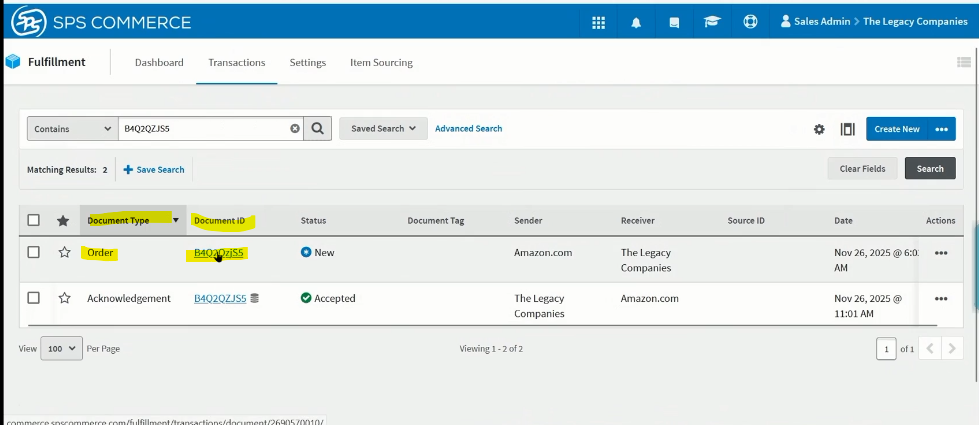
Step 6A : Go to SPS Commerce:
-Paste the PO Number in the PO field
- Click Magnifying Glass
- The order line will now show
Note: If the document Type: Reflects 1 single line that shows : Acknowledgement
Step 7A:
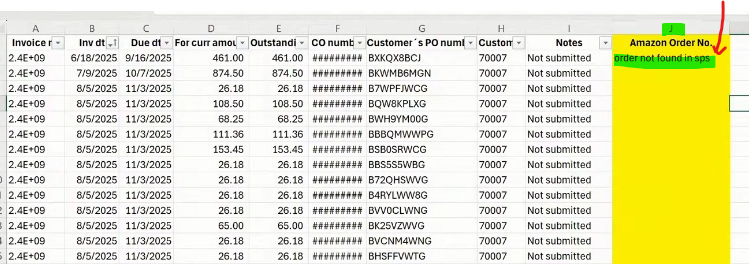
-Go Back to Excel (Google Sheet)
- In Column "J" -> Type order not found in SPS
Step 6B Note: If the document Type: Reflects : Order and also Acknowledgement
- On the "Order" line -> Under Document ID column --> click the order Number (In Blue)
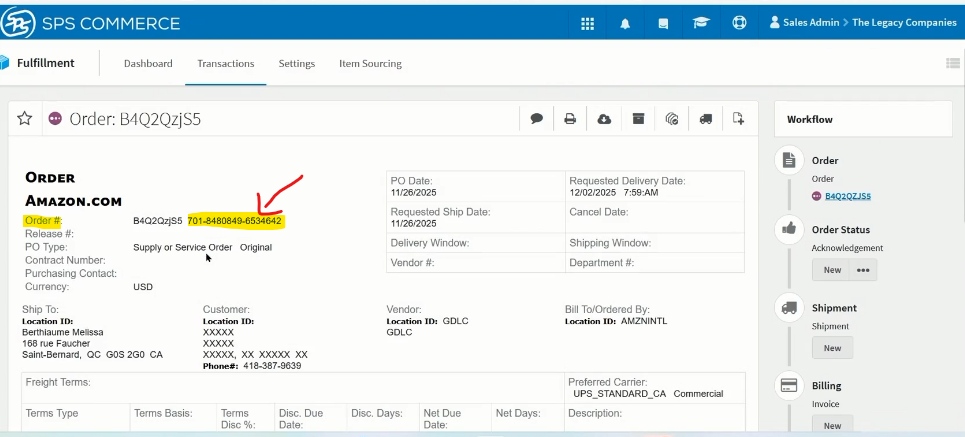
-Screen Populates:
-Copy the Order Number (Highlighted In Yellow)
Step 7 B:
-Go to your Spread
- On your Order line --> Paste your Order Number in Column "J" 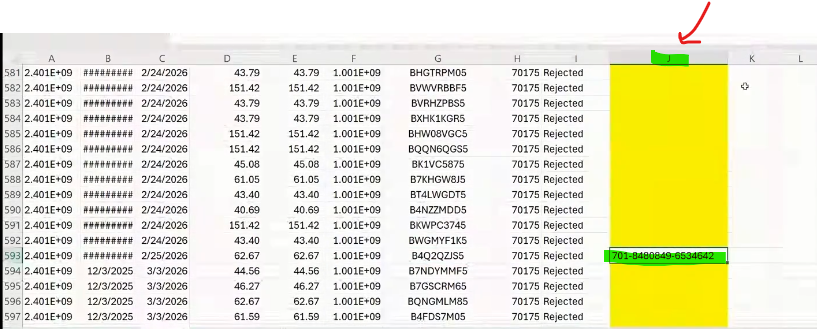
****You are Now done with the Order -> You are ready to Go to the Next Order Line
Step 8: Go to your Next Order Line and repeat the process:
-Go to next Order line on Excel (Google Sheet -> Copy PO Number
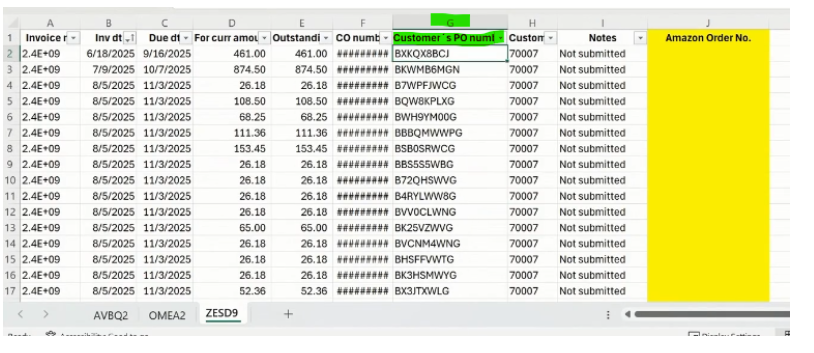
Step 9: Go to SPS Commerce and repeat the process.